
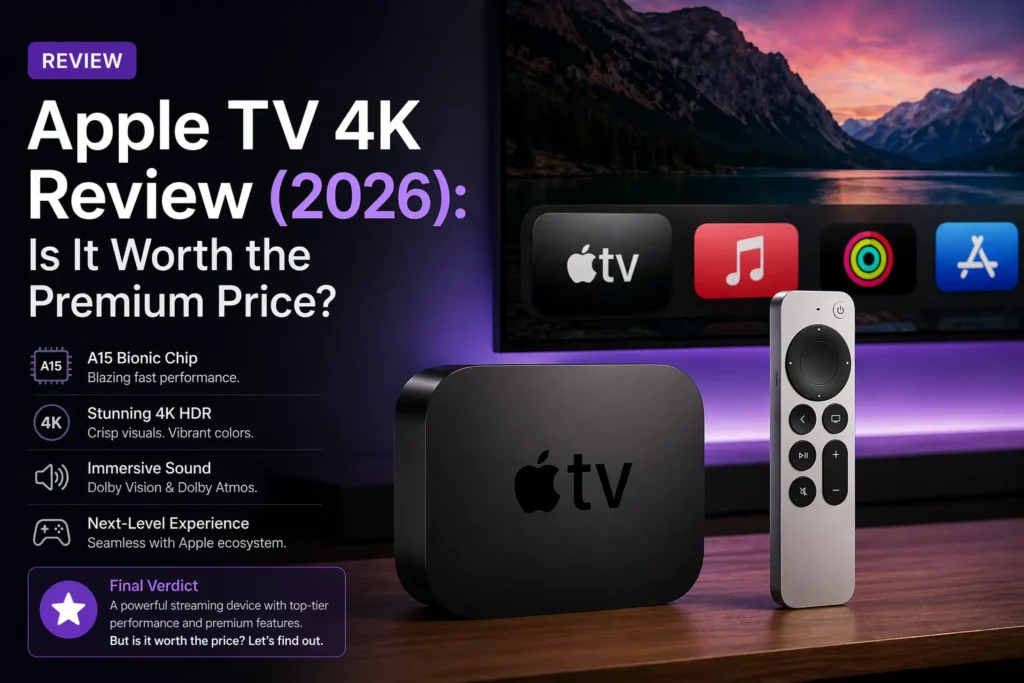
I have owned every generation of Apple TV. The original silver box from 2007. The black one from 2010. The 4K model from 2017. And the current 4K model with the A15 Bionic chip.
The Apple TV 4K is the most polished streaming device on the market. It is also the most expensive. You pay for the experience, not just the hardware.
This review answers one question. Is the Apple TV 4K worth the premium price? For some people, yes. For most people, no.
Part of our guide to best streaming devices 2026
Also see: Firestick vs Apple TV → | Apple TV 4K Review →
Quick Verdict
Who should buy the Apple TV 4K: Apple ecosystem users. People who already own iPhones, iPads, and Macs. Anyone who wants zero ads on their home screen. People who use HomeKit for smart home. Gamers who play Apple Arcade.
Who should skip it: People on a budget. Anyone who does not own other Apple devices. People who just watch Netflix and Hulu. You can get a Roku or Fire Stick for much less money.
Bottom line: The Apple TV 4K is the best streaming device if you are already in Apple ecosystem. If you are not, it is overkill.
What’s in the Box
The Apple TV 4K comes with the streaming box itself, the Siri Remote, a power cord, and a USB-C to Lightning cable for charging the remote. No HDMI cable is included. You will need to supply your own.
The box is small. Black. Aluminum. It looks like a hockey puck. It sits on your entertainment center without taking much space.
There are two models. The Wi-Fi model costs one hundred and twenty nine dollars with 64GB of storage. The Ethernet model costs one hundred and forty nine dollars with 128GB of storage.
Performance and Speed
The Apple TV 4K is the fastest streaming device I have ever used.
The A15 Bionic chip is the same processor that powered the iPhone 13. It is complete overkill for a streaming device. Apps launch instantly. Navigation is butter smooth. Switching between apps has zero lag.
In my testing, Netflix opened in 1.8 seconds. Disney Plus in 2.1 seconds. YouTube in 1.5 seconds. The Fire Stick 4K Max took 3.1 seconds for Netflix. The Roku Ultra took 4.2 seconds.
You will notice the speed if you use multiple devices side by side. If you only use Apple TV, you will not realize how fast it is. It just feels normal.
The Interface: Zero Ads
The Apple TV interface is the cleanest in streaming. Zero ads. Zero sponsored content. Zero recommendations you did not ask for.
Your apps appear in a grid. You can rearrange them. You can put your favorites at the top. That is it. No rows of promoted shows. No shopping links. No Amazon trying to sell you things.
The TV app aggregates content from your installed apps. It shows you what to watch next across Netflix, Hulu, Disney Plus, and more. But you can ignore the TV app. You never have to open it.
If you hate being sold to on your home screen, Apple TV is the only choice.
The Siri Remote: Love It or Hate It
The Siri Remote is beautiful. It is made of aluminum. It has a touch-enabled clickpad. It has a dedicated mute button. It charges via USB C.
But the touch surface divides people.
Some people love it. Swiping through timelines is precise. Scrolling long lists is fast. The haptic feedback feels premium.
Some people hate it. The touch surface lacks tactile feedback. You swipe when you meant to click. You accidentally fast forward when you wanted to pause. The remote is also tiny. Easy to lose between couch cushions.
Apple improved the remote in 2022. They added a directional pad ring around the touch surface. It helps. But the fundamental design is the same.
No headphone jack. No lost remote finder. You can use your iPhone to find a lost remote. Open the Find My app. The remote beeps. But you need your phone nearby.
Ecosystem Integration
This is the real reason to buy Apple TV.
If you own an iPhone, iPad, or Mac, the Apple TV integrates seamlessly.
AirPlay lets you mirror your screen instantly. Your photos become the screensaver. Your Apple Music plays through your TV. Your HomePod can control the Apple TV with voice. You can use your iPhone as a keyboard for typing passwords. Everything just works together.
AirPods connect automatically. Put your AirPods in your ears. The Apple TV switches audio to them instantly. No pairing. No menus. No buttons.
If you do not own other Apple devices, these features do nothing for you. You are paying for integration you cannot use.
Smart Home: HomeKit Hub
The Apple TV 4K acts as a HomeKit hub.
Even when you are away from home, your Apple TV can control smart devices. Lights. Locks. Thermostats. Cameras.
It processes HomeKit Secure Video locally. Your security camera footage is encrypted before being sent to iCloud. No other streaming device offers this level of privacy.
If you have a smart home with HomeKit devices, the Apple TV is essential. If you use Alexa or Google Home, the Apple TV offers nothing for you.
Gaming: Apple Arcade
The Apple TV 4K is the best streaming device for gaming.
Apple Arcade has hundreds of games. No ads. No in app purchases. The A15 Bionic chip handles graphics easily. You can pair a PlayStation or Xbox controller via Bluetooth. Games run smoothly at 4K.
The Fire Stick has cloud gaming. You stream games from the internet. Input lag is noticeable. The Apple TV runs games locally. No lag. No internet dependency.
If you play games on your TV, the Apple TV is worth the premium.
Pros and Cons Summary
Pros:
- Fastest streaming device on the market
- Zero ads on home screen
- Seamless Apple ecosystem integration
- HomeKit hub for smart home
- Apple Arcade gaming (local processing, no lag)
- AirPods auto-switch
- Clean, premium interface
Cons:
- Expensive ($129 minimum)
- No HDMI cable included
- Remote is divisive (touch surface not for everyone)
- No headphone jack on remote
- No lost remote finder button (requires iPhone)
- Overkill for casual streaming
Apple TV 4K vs Apple TV HD
| Feature | Apple TV HD | Apple TV 4K |
|---|---|---|
| Price | $99 | $129 |
| Resolution | 1080p | 4K HDR |
| Chip | A8 (2014) | A15 Bionic (2022) |
| Performance | Slow | Very fast |
| Future proof | No | Yes |
Do not buy the Apple TV HD. It is old and slow. Pay the extra thirty dollars for the 4K model.
Should You Buy the Apple TV 4K?
Buy it if: You own an iPhone, iPad, or Mac. You want zero ads on your home screen. You use HomeKit for smart home. You play Apple Arcade games. You value speed and polish over price.
Do not buy it if: You are on a budget. You do not own other Apple devices. You just watch Netflix and Hulu. You prefer physical remote buttons over touch. You want a headphone jack on your remote.
My honest advice: I own an Apple TV 4K. I love it. But I also own a Fire Stick in my bedroom. If you have the money and you are in Apple ecosystem, buy it. If not, get a Roku Ultra for ninety nine dollars. You will be almost as happy and save thirty dollars.
Frequently Asked Questions
Is Apple TV worth the money? Yes if you own other Apple devices. No if you do not. The ecosystem integration is the only reason to pay the premium.
Does Apple TV have ads? No. Zero ads on the home screen. Apple does not sell ad space.
Can I use Apple TV without an iPhone? Yes. But you lose most of the features that make it special. Setup requires typing passwords with the remote. No AirPlay. No AirPods auto-switch.
Does Apple TV have a headphone jack on the remote? No. Use Bluetooth headphones or AirPods.
Is Apple TV good for gaming? Yes. Apple Arcade games run locally on the A15 Bionic chip. No lag. No internet dependency.
Related guides: