
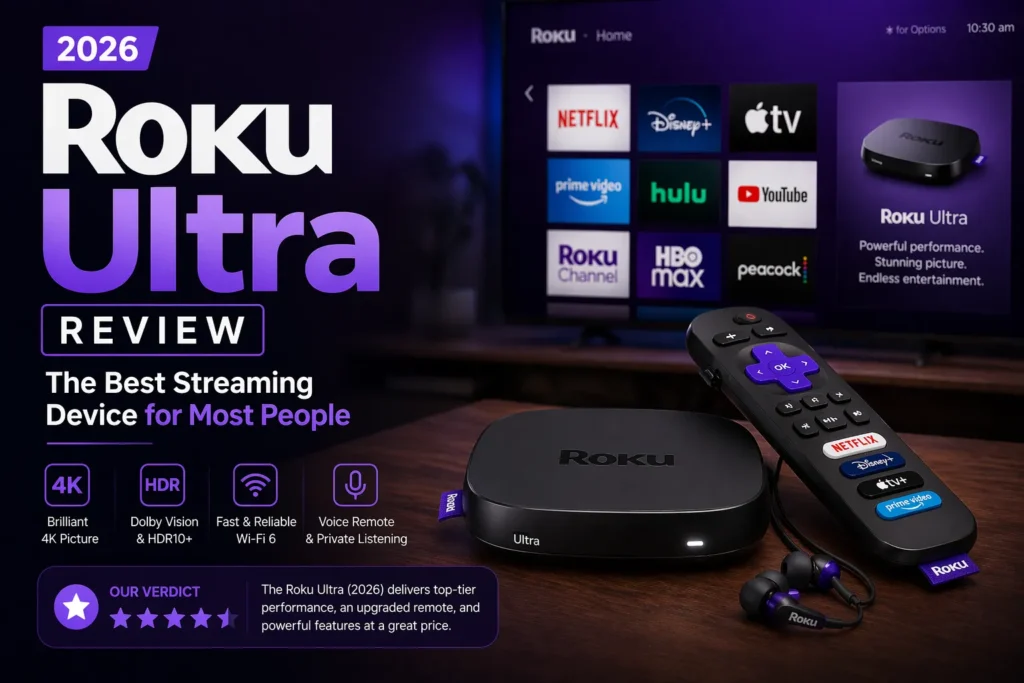
I have reviewed dozens of streaming devices over the past decade. I have tested Apple TV, Fire Stick, Chromecast, NVIDIA Shield, and every Roku model.
The Roku Ultra is the device I recommend to almost everyone. Not because it has the best specs. It does not. The Apple TV is faster. The NVIDIA Shield has more features.
But the Roku Ultra works. Every time. For everyone. My parents use it. My kids use it. I use it in my living room.
This review explains why the Roku Ultra is the best streaming device for most households.
Part of our guide to best streaming devices 2026
Also see: Firestick vs Roku → | Apple TV 4K Review →
Quick Verdict
Who should buy the Roku Ultra: Almost everyone. It is simple. It works with every streaming service. The remote has a headphone jack. The interface has minimal ads. It has an Ethernet port for wired internet.
Who should skip it: Apple users who want ecosystem integration. Gamers who want Apple Arcade or cloud gaming. People on a tight budget.
Bottom line: The Roku Ultra is the best streaming device for most people. The remote alone makes it worth the price.
What’s in the Box
The Roku Ultra comes with the streaming box itself, the Voice Remote Pro, a power adapter, an HDMI cable, two AAA batteries, and an Ethernet port on the back of the device.
The box design is compact. It sits on your entertainment center. It does not hang off the back of your TV like a stick.
The included HDMI cable is a nice touch. Many streaming devices do not include one.
The Remote: Best in Streaming
The Roku Ultra remote is the best streaming remote on the market. Period.
It has a headphone jack. Plug in any earbuds. The TV audio goes to your ears. Nobody else hears it. Perfect for late night watching when others are sleeping. No other streaming device offers this on their included remote.
It has a lost remote finder. Press a button on the Roku Ultra box. The remote beeps. You find it under the couch cushion. You will use this feature more than you expect.
The remote is backlit. Keys light up in the dark. You can see what you are pressing without turning on the lights.
The remote charges via USB C. No batteries to replace. The previous generation used AAA batteries. The newer model upgraded to rechargeable.
It supports hands-free voice control. You can say “Hey Roku” without pressing a button. It listens for the wake word. Works well in a quiet room.
Performance and Speed
The Roku Ultra is fast enough. It is not the fastest device on the market. But it does not need to be.
The current edition has a new quad-core processor offering slightly faster performance than previous models.
Apps open in three to five seconds. Navigation is smooth. Switching between apps has minimal lag.
The Apple TV 4K is faster. The Fire Stick 4K Max is also very fast. But the Roku Ultra is not slow. You will not be frustrated.
Roku lightweight operating system does not need top tier hardware. The OS is simple. It runs well on modest processors.
The Interface: Simple and Ad-Light
Roku interface is the cleanest among major streaming platforms. A grid of app icons. That is it.
You install Netflix. The Netflix icon appears. You click it. You watch Netflix. No sponsored rows. No Amazon trying to sell you things. No recommendations for shows you never asked about.
There are some ads. A banner on the right side of the screen. Sponsored content in the sidebar. But compared to Fire TV, it is minimal.
The Roku Channel offers free movies and shows with ads. You can ignore it. It does not take over your home screen.
Picture Quality and 4K Support
The Roku Ultra supports 4K HDR with Dolby Vision and HDR10+. Every major streaming service looks excellent.
Dolby Vision adjusts the picture scene by scene. Colors pop. Dark scenes have detail. Bright scenes do not wash out.
The Ethernet port is a real advantage. If your Wi-Fi is unstable, plug in a cable. You get consistent speeds. No buffering during 4K streams.
The Roku Ultra handles 4K playback smoothly. No dropped frames. No stuttering. Just clean, sharp video.
Ecosystem Neutrality
Roku does not care what you watch. It has no bias toward any streaming service.
Amazon Fire Stick pushes Prime Video. Google TV pushes YouTube. Apple TV pushes Apple TV Plus. Roku pushes nothing.
The search feature searches across all your apps. If a movie is on Netflix and Hulu and Prime, Roku shows you all three options. You choose where to watch.
This neutrality is rare in 2026. Every other platform wants to keep you inside their ecosystem. Roku does not.
Pros and Cons Summary
Pros:
- Best remote in streaming (headphone jack, backlit, lost remote finder, rechargeable)
- Clean interface with minimal ads
- Ethernet port for wired internet
- Works with every streaming service
- No ecosystem bias
- Hands-free voice control
Cons:
- More expensive than Fire Stick
- Not as fast as Apple TV
- No gaming support
- Voice assistant limited to streaming commands
Roku Ultra vs Roku Streaming Stick 4K
| Feature | Roku Streaming Stick 4K | Roku Ultra |
|---|---|---|
| Price | $49 | $99 |
| Ethernet port | No | Yes |
| Remote | Standard voice remote | Voice Remote Pro (backlit, rechargeable, headphone jack) |
| Lost remote finder | No | Yes |
| Performance | Good | Slightly faster |
The Ultra is worth the extra money for the remote and Ethernet port alone.
Frequently Asked Questions
Does Roku Ultra have a headphone jack on the remote? Yes. The included Voice Remote Pro has a headphone jack for private listening.
Is Roku Ultra better than Firestick? For most people, yes. The interface is cleaner. The remote is better. There are fewer ads.
Does Roku Ultra support Dolby Vision? Yes. And HDR10 and HDR10+.
Can I use Roku without an internet connection? No. Roku requires an internet connection for streaming. You cannot download content for offline viewing like on a tablet.
Is Roku Ultra worth the money? Yes. The remote alone justifies the price. The Ethernet port and clean interface are bonuses.
Related guides: