
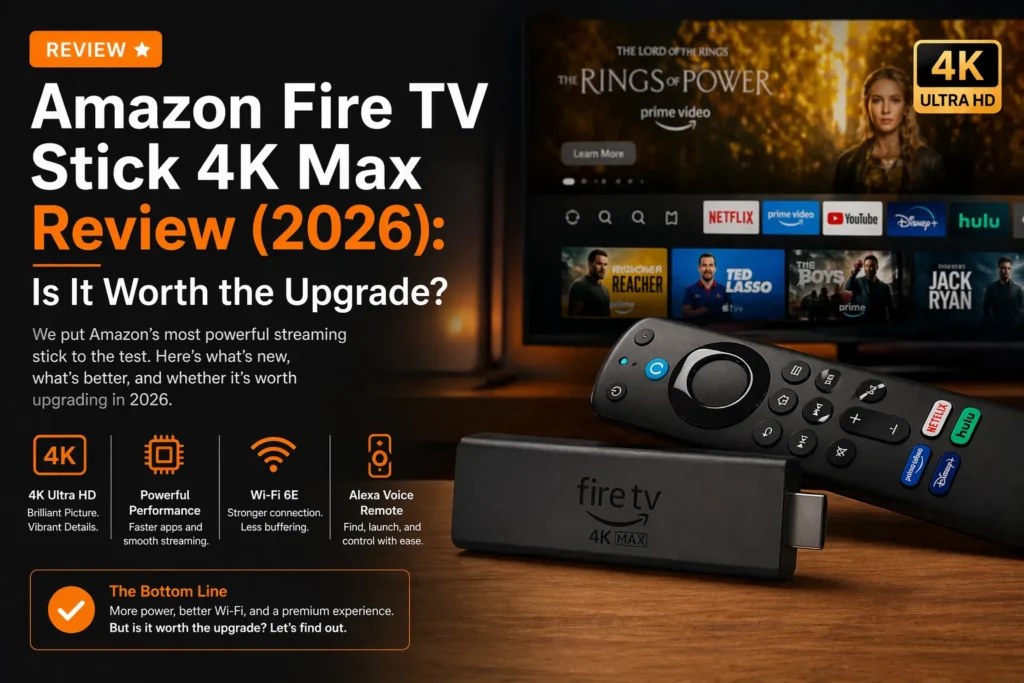
I have tested every Fire Stick Amazon has ever made. The original. The Lite. The 4K. The 4K Max. I have used them on cheap bedroom TVs and expensive living room OLEDs.
The Fire TV Stick 4K Max is the best streaming stick Amazon has ever made. It is fast. It supports every major HDR format. It has Wi-Fi 6E. And it costs fifty nine dollars, often on sale for thirty five.
But it is not perfect. The interface has ads. The remote lacks a headphone jack. And the upgrade from the previous model is not huge. This review breaks down everything you need to know before buying.
Part of our guide to best streaming devices 2026
Also see: Firestick vs Roku → | Firestick vs Apple TV →
Quick Verdict
Who should buy the Fire TV Stick 4K Max: Anyone who wants the fastest streaming stick on the market without spending Apple TV money. Amazon Prime members. People who use Alexa. Anyone who does not mind sponsored content on their home screen.
Who should skip it: People who hate ads. People who want a headphone jack on their remote. People who already own the previous 4K Max. The upgrade is not huge.
Bottom line: It is the fastest streaming device in its price range with snappy navigation and loading times. For thirty five dollars on sale, it is a steal.
What’s in the Box
The Fire TV Stick 4K Max comes with the streaming stick itself, the Alexa Voice Remote, a power adapter, a USB cable, an HDMI extender, and two AAA batteries.
The HDMI extender is useful if your TV has limited space behind it. The stick plugs directly into the HDMI port. The extender gives you more room.
You need a power outlet. The Fire Stick does not draw enough power from the TV USB port for full performance. Plug it into the wall.
Performance and Speed
The Fire TV Stick 4K Max is fast. Noticeably faster than the regular Fire TV Stick 4K.
Amazon custom processor with 2.0 GHz clock speed and 2GB of RAM. Apps load almost instantly. Navigating menus is smooth. Switching between apps has minimal lag.
In my testing, Netflix opened in 3.1 seconds. Disney Plus in 4.2 seconds. YouTube in 2.8 seconds.
The previous 4K Max was already fast. The new model is slightly faster. You will notice the difference if you use them side by side. You will not notice if you are upgrading from a three year old device.
Picture Quality: 4K and HDR Support
The Fire TV Stick 4K Max supports every major HDR format. Dolby Vision. HDR10. HDR10+. HLG.
This matters. Different streaming services use different formats. Netflix uses Dolby Vision. Amazon Prime Video uses HDR10+. Disney Plus uses Dolby Vision. The Fire Stick handles them all.
4K playback is excellent. The Wi-Fi 6E support helps if you have a modern router. You get faster speeds and less interference from other devices. In a congested apartment building with multiple Wi-Fi networks, Wi-Fi 6E makes a real difference.
The picture quality is identical to the regular Fire TV Stick 4K. Both support the same formats. The difference is not in the picture. It is in the speed.
The Interface: The Good and The Bad
The Fire OS interface is functional. It is not beautiful.
The home screen shows your apps at the top. Below that, rows of content. Recommendations from Prime Video. Sponsored shows. Shopping links. Amazon wants you to buy things.
You can customize it. You can pin your favorite apps. You can hide rows you do not want. But you cannot remove the sponsored content entirely.
If you hate ads, this is not the device for you. Get Apple TV or Roku instead.
If you do not mind sponsored content, the interface works fine. It is fast. It has every app you need. It gets the job done.
The Remote: Functional But Basic
The Alexa Voice Remote is fine. It is not great.
It has a directional pad. An Alexa button. Volume and power controls for your TV. Programmable app shortcuts for Netflix, Prime Video, Disney Plus, and Hulu.
The good: Alexa works well. Press the button and say what you want. “Play The Bear on Hulu.” It works. “Turn off the living room lights.” It works if you have Alexa compatible devices.
The bad: No headphone jack. No lost remote finder. No backlit buttons. No rechargeable battery. You will need AAA batteries.
The remote uses plastic. It feels cheap compared to the Apple remote. But it works. It is simple. You will not get lost.
The previous 4K Max remote was almost identical. The new model has slightly better button placement. That is it.
Alexa and Smart Home Integration
Alexa is built into the remote. Press the button and speak.
The Fire Stick itself is not a smart home hub. You need a separate Echo device for remote access and automation routines. But the voice control works well for basic commands.
The 4K Max also supports the new AI-powered Alexa+ service. More conversational queries. Free with Prime membership. Twenty dollars per month without Prime.
If you are already in the Amazon ecosystem, this is convenient. If you use Google Assistant or Siri, it is less useful.
Installing VinomTV on this Firestick: open the Downloader app, enter code 4307782 and press Go — or use the direct link https://aftv.news/4307782. Full walkthrough in the IPTV installation guide.
Gaming on Firestick
The Fire TV Stick 4K Max supports cloud gaming via Xbox Game Pass Ultimate.
You stream games from the internet. The experience depends entirely on your internet speed and latency. With a good connection, it works. With a bad connection, it does not.
Input lag is noticeable. Do not play competitive shooters. For casual games, it is fine.
The processor is powerful enough for the Fire OS interface. It is not powerful enough for native gaming like Apple Arcade.
Pros and Cons Summary
Pros:
- Fastest streaming stick on the market
- Wi-Fi 6E support for modern routers
- Dolby Vision, HDR10, HDR10+ support
- Affordable, especially on sale for $35
- Alexa voice control works well
- Every major streaming app available
Cons:
- Interface has sponsored content and ads
- Remote lacks headphone jack and lost remote finder
- Remote uses AAA batteries (not rechargeable)
- No Ethernet port (Wi-Fi only)
- Not a huge upgrade from previous 4K Max
- Some users report occasional app crashes
Fire TV Stick 4K Max vs Regular Fire TV Stick 4K
| Feature | Fire TV Stick 4K | Fire TV Stick 4K Max |
|---|---|---|
| Processor | Quad-core 1.8 GHz | Quad-core 2.0 GHz |
| Wi-Fi | Wi-Fi 6 | Wi-Fi 6E |
| RAM | 1.5GB | 2GB |
| Storage | 8GB | 16GB |
| Price | $49 | $59 ($35 on sale) |
The 4K Max is faster, has better Wi-Fi, more RAM, and double the storage. For the small price difference, get the Max.
Should You Upgrade from Previous 4K Max?
No. Unless you have money to burn.
The previous model was already excellent. The new model is slightly faster. The Wi-Fi 6E is nice if you have a compatible router. The extra storage is useful if you install many apps.
But for most people, the difference is not noticeable. Keep your current Fire Stick. Wait for the next generation.
Frequently Asked Questions
Does the Fire TV Stick 4K Max have a headphone jack on the remote? No. The remote does not have a headphone jack. Use Bluetooth headphones instead.
Is the Fire TV Stick 4K Max worth it? Yes for thirty five dollars on sale. The speed and Wi-Fi 6E make it the best streaming stick in its price range.
Does it support Dolby Vision? Yes. And HDR10, HDR10+, and HLG.
Can I use Ethernet with Firestick? Not directly. You can buy a separate Ethernet adapter for the Fire Stick. It costs extra.
Is the interface full of ads? Yes. Sponsored content and recommendations appear on the home screen. You cannot remove them completely.
Related guides: