
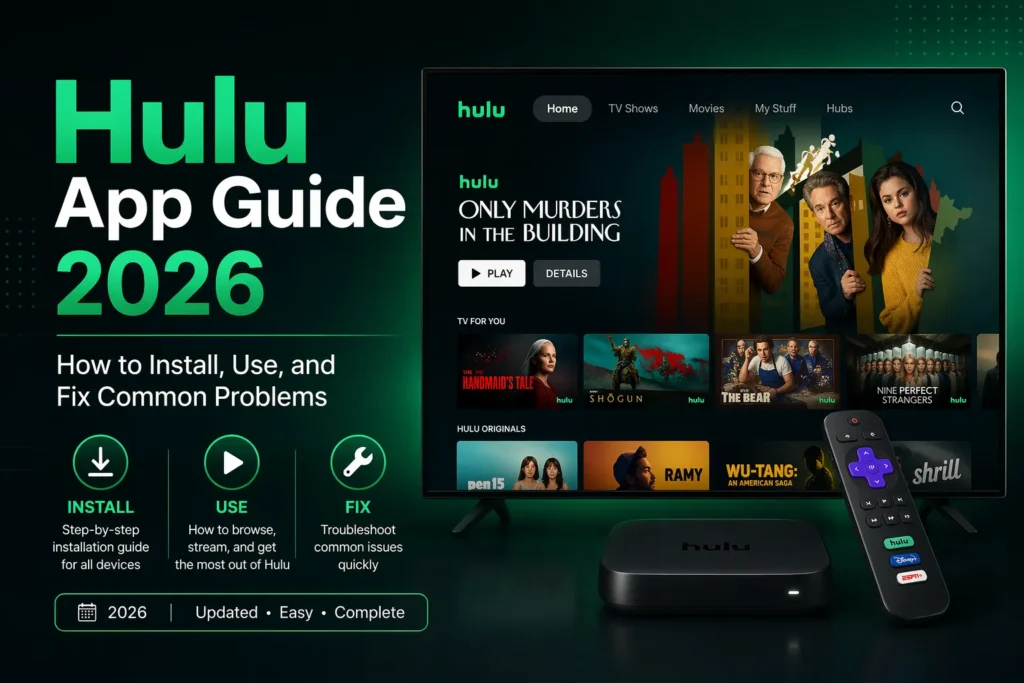
I have used the Hulu app on every device imaginable. Phones. Tablets. Smart TVs. Streaming sticks. Gaming consoles. The app has improved over the years. But it still has quirks that annoy even the most patient users.
After years of daily Hulu usage, I know exactly how the app works. Where the hidden settings are. How to fix the buffering issues. And what to do when the app freezes during the best part of a show.
This guide covers everything you need to know about the Hulu app in 2026. Installation. Navigation. Settings. Hidden features. Troubleshooting. By the end, you will know how to make Hulu work on any device.
Part of our guide to best streaming services 2026
Also see: Netflix App Guide → | Disney+ App Guide →
How to Install the Hulu App on Any Device
Hulu works on most devices. But not all. Hulu is only available in the United States. If you are outside the US, the app will not work without a VPN.
Here is how to install Hulu on the most common devices.
On iPhone or iPad: Open the App Store. Search for Hulu. Tap Get. Wait for the download. Sign in with your Hulu account. If you do not have an account, you can sign up through the app.
On Android phone or tablet: Open the Google Play Store. Search for Hulu. Tap Install. Wait. Open. Sign in.
On Amazon Fire Stick or Fire TV: Go to the search magnifying glass. Type Hulu. Select the app. Click Download. It will install automatically. Open. Sign in. The Fire Stick remote does not have a Hulu button. You will need to find the app in your apps list.
On Roku: Press the home button on your Roku remote. Scroll to Streaming Channels. Search for Hulu. Add channel. The Hulu app appears on your home screen. Roku remotes have a Hulu button on some models.
On Apple TV: Open the App Store on your Apple TV. Search for Hulu. Download. Sign in. The Apple TV remote has a dedicated Hulu app button on some models.
On Smart TV (Samsung, LG, Sony, Vizio, TCL): Find the app store on your TV. Search for Hulu. Install. Open. Sign in. Older Samsung and LG TVs may not support Hulu. Check the Hulu website for compatible models.
On Xbox or PlayStation: Go to the Microsoft Store or PlayStation Store. Search for Hulu. Download. Launch. Sign in. Hulu works well on both consoles.
On computer (Windows or Mac): You do not need an app. Go to hulu.com in your browser. Sign in. That is it. Chrome, Firefox, Safari, and Edge all work. Hulu in a browser supports 4K on some computers.
What Hulu does not work on: Linux computers. Most e-readers. Some older smart TVs from 2015 or earlier. Chromebooks through the Google Play Store sometimes have issues.
How to Navigate the Hulu App
The Hulu interface has changed several times over the years. The current version is better than the old one. But it still takes time to learn.
The home screen: This is where Hulu recommends content. Featured shows. Top picks for you. Because you watched. Trending on Hulu. New episodes. The home screen changes based on what you watch. The more you use Hulu, the better the recommendations become.
The search icon (magnifying glass): Tap this to search for specific shows, movies, or actors. Type the name. Hulu shows results instantly. You can also search by genre or network.
My Stuff: This is your personal watchlist. Tap the + button on any show or movie. It saves to My Stuff. You can organize My Stuff into folders on the website, but not on the app.
Networks: Hulu organizes content by network. ABC. NBC. Fox. FX. Bravo. E. Discovery. National Geographic. Tap a network to see everything available from that channel. This is useful if you follow shows from a specific network.
Keep Watching: This section shows everything you started but did not finish. Hulu remembers where you stopped. Tap a show to resume from that exact moment.
Live TV (if you have Hulu + Live TV): The live TV section shows what is playing on cable channels right now. You can scroll through channels. You can see what is on later. You can record shows to the cloud DVR.
Sports (if you have Hulu + Live TV): This section shows live sports and upcoming games. You can see scores. You can set reminders for games. You can record games to the cloud DVR.
Important Settings You Should Change
Hulu settings are hidden. Most people never find them. Here is what you should adjust.
How to find settings: Tap your profile icon in the top right or bottom right corner of the app. Tap Account. Then tap the Settings gear icon depending on your device.
Video quality: Go to Account > Settings > Video Quality. Options include Best Available, Good, or Data Saver. Best Available uses the most data but gives the best picture. Data Saver uses less data but picture quality drops. If you have unlimited internet, choose Best Available.
Startup channel (Live TV only): Go to Account > Settings > Startup Channel. Choose which channel Hulu opens to when you launch the app. Useful if you always watch the same channel first.
Closed captions: Go to Account > Settings > Captions. Turn them on or off. Change caption size, font, and color. You can also turn on captions while watching by tapping the screen and tapping the speech bubble icon.
Autoplay: Go to Account > Settings > Autoplay. Turn on or off. When on, the next episode plays automatically. When off, you have to press play manually. Most people turn this on.
Parental controls: Go to Account > Profile > Parental Controls. You can set a PIN. You can block content by rating. You can block specific shows. You can hide mature content from the home screen.
Remove ads (requires No Ads plan): Go to Account > Plan. You can upgrade from With Ads to No Ads. The No Ads plan costs eighteen dollars per month. Some shows still have ads due to licensing restrictions. Hulu tells you which shows when you upgrade.
Hidden Features You Probably Did Not Know About
After years of using Hulu, I have found features that most people never discover.
Keyboard shortcuts on computer: Press F for full screen. Press Space or K for play and pause. Press M for mute. Press the left arrow or right arrow to rewind or fast forward 10 seconds. Press the up and down arrows to change volume. These work on the Hulu website in any browser.
Remove from keep watching: Go to your Keep Watching section on a computer. Hover over a show. Click the X that appears. It disappears from your continue watching list. Useful for shows you started but do not want to finish.
Profile PIN for kids: Create a kids profile. Go to Account > Profile > Parental Controls. Set a PIN. Now your kids cannot switch to your adult profile without the PIN. This is the best way to keep children out of mature content.
Download on mobile (No Ads plan only): Go to any show or movie. Look for the download icon (downward arrow). Tap it. The content saves to your device. Watch offline anywhere. Downloads expire after 30 days. Some content cannot be downloaded due to licensing restrictions.
Season pass: When you add a show to My Stuff, Hulu automatically adds every new episode when it becomes available. You do not have to search for new episodes. They appear in your Keep Watching section automatically.
Live TV guide on mobile: If you have Hulu + Live TV, open the app on your phone. Tap the Live TV tab. You see the same channel guide as on your TV. You can set recordings from your phone. Useful when you are away from home.
Watch party: Hulu has a watch party feature on the website. Start a show. Click the watch party icon. Share a link with friends. Up to 8 people can watch together. Everyone controls their own playback. Everyone can chat in the sidebar.
Common Problems and How to Fix Them
Based on user reports and my own experience, these are the most common Hulu app problems and how to solve them.
The app keeps freezing or buffering: Hulu buffers more often than Netflix. First, check your internet speed. Hulu recommends at least 5 Mbps for HD and 16 Mbps for 4K. Second, restart the app. Close it completely and open again. Third, restart your device. Turn it off, wait 30 seconds, turn it back on. Fourth, lower video quality in settings. Data Saver mode uses less bandwidth.
Hulu says cannot connect to the service: Check your internet connection first. Open another app or website. If that works, the problem is Hulu. If not, restart your router. Unplug it for 30 seconds, plug it back in, wait for the lights to return to normal. Try again. Hulu servers sometimes go down. Check downdetector.com to see if others have the same problem.
Video quality is poor or pixelated: Hulu adjusts quality based on your internet speed. If your connection is slow, quality drops automatically. Go to settings and change video quality to Best Available. If you are on a Live TV plan, live sports often have lower quality than on demand content.
Subtitles do not work or are out of sync: While watching, go to subtitle settings. Turn subtitles off and on again. If that does not work, restart the show or movie. If the problem continues, check for app updates or reinstall the app. Some Hulu content has subtitle issues permanently. There is no fix for those titles.
Cannot download content (No Ads plan only): Make sure you have the No Ads plan. The With Ads plan does not include downloads. Check your storage space. Downloads take up significant space. Each hour of HD content uses about 1.5 GB. Restart the app and try again. Some content is not available for download due to licensing restrictions.
Live TV keeps buffering during sports: Live TV requires a stable internet connection. Hulu recommends at least 16 Mbps for live sports. Lower video quality in settings. Data Saver mode helps. Use an Ethernet cable if possible. Wi Fi interference causes buffering. Move your router closer to your streaming device.
The app says I am outside the United States: Hulu only works in the US. If you are traveling abroad, Hulu will not work. If you are in the US and see this message, check your VPN. Turn off any VPN. Restart the app. If the problem continues, contact Hulu support.
Hulu App vs Browser: Which Is Better?
You have two ways to watch Hulu on a computer. The Windows app from the Microsoft Store. Or any browser like Chrome, Firefox, Safari, or Edge.
The browser version is better. You do not need to install anything. You get the same video quality. All keyboard shortcuts work. And you can use watch party in the browser. The Windows app does not support watch party.
On Mac, there is no Hulu app. You have to use the browser. Safari, Chrome, and Firefox all work. Safari supports 4K on newer Macs. Chrome and Firefox are limited to 1080p.
The Hulu app on phones and tablets is better than the browser version on phones. Use the app on mobile devices. Use the browser on computers.
Comparison: Hulu App on Different Devices
Not all Hulu apps are the same. Here is what each version can and cannot do.
| Feature | Phone/Tablet | Smart TV | Fire Stick/Roku | Computer Browser |
|---|---|---|---|---|
| 4K streaming | Yes (on supported devices) | Yes | Yes | Yes (Safari only) |
| Offline downloads | Yes (No Ads plan only) | No | No | No |
| Watch party | No | No | No | Yes |
| Live TV guide | Yes | Yes | Yes | Yes |
| Cloud DVR management | Yes | Yes | Yes | Yes (best experience) |
| Keyboard shortcuts | No | No | No | Yes |
If you want offline viewing, use a phone or tablet with the No Ads plan. If you want watch party, use a computer browser. If you want Live TV, any device works but the browser gives you the best DVR management.
Frequently Asked Questions
Why does Hulu keep buffering? Check your internet speed. Hulu needs at least 5 Mbps for HD and 16 Mbps for 4K. Lower video quality in settings. Restart your router. Use an Ethernet cable if possible.
How do I get 4K on Hulu app? You need a 4K TV. You need a device that supports Hulu 4K. Not all shows are available in 4K. Only select Hulu originals and some live sports. Go to settings and set video quality to Best Available.
Can I use Hulu app without internet? Yes for downloaded content on the No Ads plan. Download shows and movies while you have internet. Watch them offline anytime. Downloads expire after 30 days.
Why does Hulu have ads even on the No Ads plan? Some shows have ads due to licensing restrictions. Grey Anatomy, How to Get Away with Murder, and a few other ABC shows still have ads. Hulu tells you which shows when you upgrade. There is no way to remove these ads.
How do I clear Hulu app cache? On Android, go to Settings > Apps > Hulu > Storage > Clear Cache. On iPhone, you cannot clear cache directly. Delete and reinstall the app. On Fire Stick, go to Settings > Applications > Manage Installed Applications > Hulu > Clear Cache.
Is Hulu app free? The app is free to download. But you need a Hulu subscription to watch anything. Plans start at eight dollars per month with ads.
Related guides:
Hulu Review 2026 →