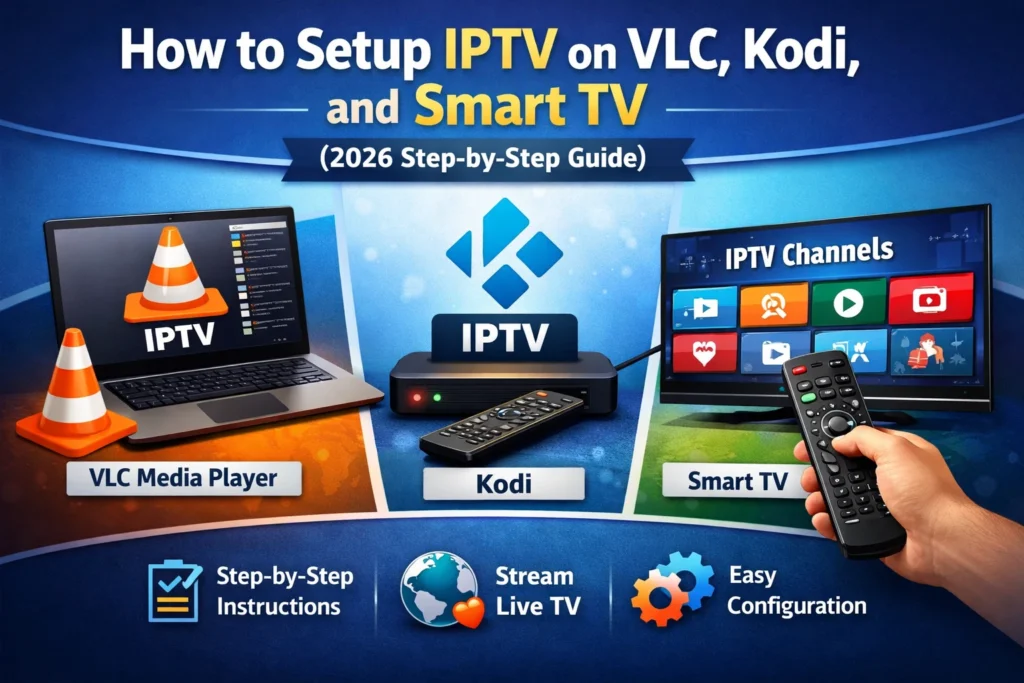
To install IPTV on a Samsung Smart TV, press Home, open Apps, search for a compatible IPTV player, select Install, and add the Xtream Codes, M3U, or activation details supplied by your legitimate service. Samsung televisions use Tizen, not Android, so Android APK files do not install directly on the TV.
This 2027 guide is written for households in the United States. App availability varies by model, Tizen version, and region, so the Apps store on the actual television is more reliable than an old compatibility list.
What you need
- A Samsung Smart TV connected to Wi-Fi or Ethernet.
- A Samsung account signed in on the television.
- A legitimate subscription authorized for your location.
- Xtream Codes, M3U, or device-activation details.
- A phone nearby for copying long URLs accurately.
Samsung IPTV setup methods compared
| Method | Best for | You enter | Watch out for |
|---|---|---|---|
| Xtream Codes | Organized live TV, movies, series, and guide | Server URL, username, password | All fields must be exact |
| M3U | Wide player compatibility | Private playlist URL; sometimes XMLTV | Long URLs are hard to type and must stay private |
| Device activation | Typing on a phone instead of the TV | Device ID or MAC in the app developer's portal | Player fees are separate from the subscription |
| External device | Older TVs or limited Samsung Apps | Login in the device's chosen player | Adds HDMI hardware and possibly another remote |
How to install IPTV on Samsung Smart TV
1. Update the TV and test the network
Connect the television to the internet, run its network test, and install any available software update. Ethernet is the most predictable option when a cable can be routed safely. Strong 5 GHz Wi-Fi is usually fine when the router is nearby. Measure speed at the television, not beside the router; use the IPTV speed guide for practical targets.
2. Open Samsung Apps and search
Press Home, select Apps, open Search, and enter the player name recommended for your login format. Samsung's current instructions follow Home → Apps → Search → Install. See Samsung's official app guide. Check the developer, update date, privacy details, and login support before installing.
3. Install and launch the player
Select Install, open the app, and add it to the Home row if available. A legitimate player should open with an empty library or login screen; it does not automatically include premium channels.
4. Enter Xtream Codes, M3U, or activation details
Enter every field exactly as supplied. Check the protocol, port number, capital letters, and trailing spaces. For device activation, use only the official portal named by the app developer. Never post a complete M3U URL or password in a public screenshot.
5. Refresh the playlist and EPG
Allow the first synchronization to finish. Test one live channel, one on-demand title, captions, favorites, search, and a second authorized screen if the plan includes it. Run the same test during an ordinary busy evening, not only during a quiet afternoon.
6. Optimize everyday playback
Keep the player updated, close unused apps, and leave enough storage free. If playback buffers, compare multiple channels and devices before changing everything. One failing source is different from every app failing; follow the buffering checklist.
Xtream Codes or M3U?
Xtream Codes-style login is convenient because three fields can organize channels, movies, series, and EPG data. M3U is portable and widely supported but exposes a long private URL. Neither format proves that a provider is authorized or reliable. Choose the maintained app you trust and the format supplied securely by the service. Read the Xtream Codes guide and M3U guide for details.
Samsung troubleshooting table
| Problem | Likely cause | First action |
|---|---|---|
| App not found | Model, region, or Tizen compatibility | Update, verify region, then consider an external device |
| Login failed | Typing error, wrong server, or expired account | Compare every character with the secure original message |
| Blank EPG | Guide still loading or time mismatch | Refresh EPG and verify the TV time zone |
| All channels buffer | Weak Wi-Fi or congestion | Test at the TV, restart router and television, try Ethernet |
| One channel buffers | Source-specific issue | Report exact channel, program, and time to support |
| Picture but no sound | Audio codec or output setting | Try TV speakers and Auto/PCM output |
USA checks before subscribing
Use the USA subscription checklist. If local emergency news matters, keep a legal backup such as a broadcaster app or over-the-air antenna where reception permits.
Security and legal use
IPTV is a technology; legality depends on content rights. Choose services that identify themselves, publish terms and refund information, use secure checkout, and explain regional availability. Avoid unknown files, copied checkout pages, and anyone asking for remote control of your television. Use a unique password and remove the account before giving away the TV.
Five-minute quality check
- Time a cold app launch.
- Change between three channels and check audio sync.
- Test captions and one on-demand title.
- Run another authorized screen if included.
- Send one real support question and judge the reply.
Compare current VinomTV plans or use the official free-trial order page after confirming device compatibility.
Samsung Smart TV IPTV FAQ
Can I install IPTV on a Samsung Smart TV?
Yes. Install a compatible player from Samsung Apps, then add credentials from a legitimate subscription. The player itself normally contains no channels.
What is the best IPTV app for Samsung TV?
Use a maintained app in your regional Samsung Apps store that supports your login method. Availability changes by Tizen version, model, and country.
Why can’t I find an IPTV app on Samsung TV?
The app may not support the TV model, software, or region. Update the TV, verify the account region, and use a supported external streaming device if needed.
Do I need a Firestick for IPTV on Samsung TV?
No when a suitable native Tizen player is available. A Fire TV or other device is useful for older televisions or limited app stores.
How fast should internet be for IPTV?
Plan for roughly 10–15 Mbps at the television for one HD or Full HD stream and about 25–40 Mbps for one 4K stream, plus capacity for other devices.
Is IPTV legal in the USA?
IPTV is a delivery technology. Use services that have rights to distribute their content in the United States and provide clear terms, support, and regional availability.
Final answer
Install a maintained player from Samsung Apps, enter private credentials from an authorized service, and test the real household routine. Use an external device when Tizen no longer offers a suitable app. Keeping the player, subscription, and home network conceptually separate makes future troubleshooting much faster.